
A face mask that will not charge can interrupt a routine, but repeated cable changes and forceful resets may make troubleshooting harder. This led face mask not charging troubleshooting checklist starts with low-risk checks, then helps you decide when to stop and contact the manufacturer.
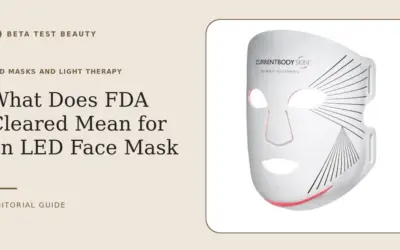
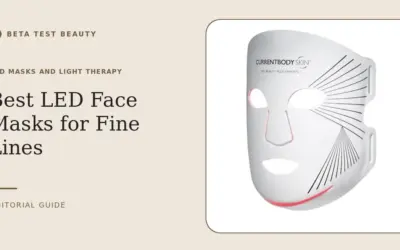
CurrentBody describes its Red Light Therapy LED Face Mask as a flexible silicone device with 236 LEDs and three wavelengths. The published product information does not specify its charging connector, indicator patterns, charging duration, or reset sequence, so use the included manual for model-specific instructions. For fit context, see our guide to lightweight LED masks for small faces.

Pros
- Clinically proven wavelengths
- Extended jawline coverage
- Veritace quality verification
- Comfortable flexible silicone
- Visible results in 4 weeks
Cons
- Potential battery issues reported
- Expensive for the segment
- Limited to 10-minute sessions
Specifications
| Color | White |
|---|---|
| Product Group | Beauty |
| Binding | Health and Beauty |
Verify the current product variation before purchase; specifications may change.
Detailed Review
What stands out in the currently available product data:
- Full-face and jawline coverage with flexible silicone design
- Three precise wavelengths: 633nm red, 830nm near-infrared, 1072nm deep near-infrared
- 236 LEDs for comprehensive light therapy
- Veritace verified LEDs ensure precise wavelength delivery
- 10-minute sessions, 3-5 times per week for optimal results
- Suitable for all skin types, including sensitive skin
1. Check the power source and outlet
Start with the wall outlet, not the mask. Test outlet with another low-risk device, or move charger to a known working outlet. Avoid power strips or adapters during this first check.
If the outlet works, confirm that any adapter or power supply matches the manufacturer’s instructions. Do not substitute a charger based only on plug shape; voltage, current, and polarity requirements can differ.
2. Inspect cable, connector, and controller
Disconnect power before inspecting. Look for a bent connector, fraying, crushed cable, debris, discoloration, or unusual looseness. Check the controller and mask connection points without pulling on wires.
Reconnect components as the manual directs, making sure each plug seats fully without force. If connector feels damaged, becomes unusually warm, or produces a smell, stop using it and contact support.
3. Allow device to reach room temperature
A device stored in a cold car or hot bathroom may behave differently from one kept at room temperature. Unplug it and let mask and controller return naturally to a dry indoor environment before trying again.
Do not use a heater, hair dryer, refrigerator, or direct sunlight to speed this process. Moisture or heat can create additional problems, and product-specific temperature limits should come from CurrentBody’s manual.
4. Read charging indicators correctly
Check the manual for the meaning of indicator lights or display symbols. A light that is off, blinking, or changing color may signal different states, but published product details do not document those patterns.
Record what appears, when it appears, and whether it changes after connecting power. This concise detail gives customer support a clearer starting point than saying only that mask will not charge.
5. Give charging time without repeated interruption
Once power and connections look correct, leave device connected for the duration specified in its manual. No verified charging time is included in published information, so do not assume a generic duration or leave it unattended if guidance says otherwise.
Avoid repeatedly unplugging, reconnecting, or pressing combinations of buttons. Those actions may obscure the original symptom, and no reset procedure is documented in the product details provided here.
6. Keep charging contacts clean and dry
Inspect accessible contacts for visible dust or residue. Clean only as directed by the manual, using approved materials; never scrape contacts, pour liquid into a port, or apply household cleaners.
Let all parts dry fully before reconnecting. If mask or controller became wet beyond routine cleaning, do not charge until manufacturer guidance confirms safe next steps.
7. Check warranty and contact support
If these checks do not help, stop experimenting and contact CurrentBody support with model name, purchase details, observed indicators, and steps already tried. Ask support to confirm approved charger specifications and warranty coverage.
Do not open the controller, replace internal cells, or use an unapproved repair service while coverage may apply. For broader device care, our red light device cleaning and storage guide covers routine upkeep.
Why You Should Trust Us
We separate listed product facts from troubleshooting guidance. CurrentBody’s listed specifications identify the LED count, wavelengths, flexible silicone fit, and Veritace NFC card, but do not provide charging diagnostics in the published information.
We therefore do not invent indicator meanings, charging times, battery capacity, or reset steps. This checklist prioritizes reversible checks and directs model-specific questions to the manual and manufacturer, rather than presenting guesswork as device instructions.
Final Thoughts
The CurrentBody Red Light Therapy LED Face Mask is the only listed product, so it is the sole overall and specific-use option here, not a comparative winner. Its stated 236-LED layout and three wavelengths may matter to shoppers assessing coverage and technology, but those features do not diagnose a charging fault.
There is no distinct value alternative in this product selection. Choose the mask only if its documented design and intended routine suit you; for a charging issue, confirm compatibility and warranty terms before paying for replacement parts or service.
Follow the device manual for contraindications and use. If you have a health condition, take medication that may affect light sensitivity, or are unsure whether use is appropriate, seek professional advice before treatment. Compare routine care with our LED masks and light therapy category.
FAQs
Why is my LED face mask not charging?
Possible causes include an inactive outlet, loose connection, damaged cable, unsuitable power supply, or device fault. Check each only as the manufacturer permits, then contact support if charging does not resume.
Can I use any USB charger for an LED face mask?
No. Connector fit alone does not confirm electrical compatibility. Use the power supply specified in the manual or ask manufacturer support to verify an alternative.
How long should an LED face mask take to charge?
Charging time depends on model, and published details do not state this mask’s charging duration. Check its manual or ask CurrentBody rather than relying on a general estimate.
What if the charging light does not turn on?
Confirm outlet and connections, then check the manual’s indicator guide. If light remains absent with the approved setup, document the symptom and contact support.
Should I reset my LED mask if it will not charge?
Only use a reset procedure documented for your model. The published product information gives no reset sequence, so avoid guessed button combinations and ask the manufacturer.
Is it safe to charge a mask with a damaged cable?
No. Stop using a frayed, crushed, discolored, or unusually warm cable. Request an approved replacement and do not attempt to repair electrical components yourself.
Can moisture stop an LED mask from charging?
Moisture near electrical connections may interfere with operation or create risk. Disconnect power, allow parts to dry naturally, and follow manufacturer instructions before charging again.
When should I contact customer support?
Contact support after basic outlet and connection checks fail, or immediately if you see damage, smell an unusual odor, or notice excessive warmth. Ask about authorized service and warranty coverage.
Evidence and safety references
These references support the general technology and safety context. Product specifications can change; confirm the current manual and regulatory status before use.
- Systematic review and meta-analysis: LEDs in skin therapy
- Systematic review: photobiomodulation safety for skin rejuvenation
- Systematic review: home-use photobiomodulation devices
Safety note: Beauty devices are not a substitute for diagnosis or treatment. Follow the device instructions and consult a qualified clinician if you have a skin condition, take photosensitizing medication, are pregnant, or are unsure whether a device is appropriate.