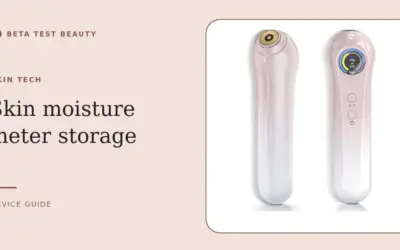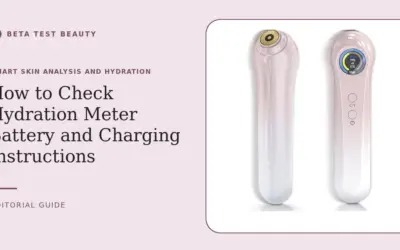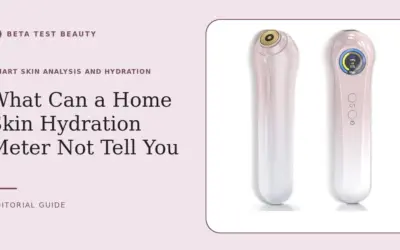

A skin hydration meter can show an error when its probes cannot make stable contact or its reading conditions differ from its operating requirements. If you are asking why does a skin hydration meter show an error, start with contact, clean skin, battery power, and the device instructions before assuming hardware failure.
Home meters estimate moisture at the skin surface; they do not diagnose a skin condition or measure hydration throughout your body. This guide explains a careful troubleshooting sequence and what a reading can reasonably tell you. For cleaning and storage basics, see our skin hydration monitor care guide.

Pros
- Fast three-second readings
- Moisture and oil measurements
- Fast and accurate testing modes
- Compact travel-friendly design
- Gold-plated sensing probe
Cons
- Measures only the outermost skin layer
- No supplied app or data history
- Limited product-specific evidence provided
Specifications
| Color | Pink |
|---|---|
| Dimensions | 6.4173228281 x 1.6535433054 x 1.7716535415 inches |
| Weight | 0.21605301676 pounds |
| Product Group | Beauty |
| Binding | Misc. |
Verify the current product variation before purchase; specifications may change.
Detailed Review
What stands out in the currently available product data:
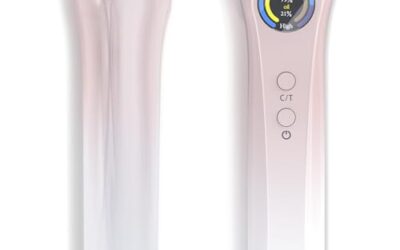
- See moisture and oil readings to compare skincare changes
- Fast mode delivers results in approximately three seconds
- Accurate mode takes three measurements for added consistency
- Capacitive sensing detects changes on the skin surface
- Gold-plated probes support stable contact and corrosion resistance
- Compact, lightweight design works for home or travel
Best For / Avoid If
Best for buyers prioritizing
- Fast three-second readings
- Moisture and oil measurements
- Fast and accurate testing modes
Consider another option if
- Measures only the outermost skin layer
- No supplied app or data history
- Limited product-specific evidence provided
Why Does a Skin Hydration Meter Show an Error?
1. Check probe contact and placement
Most handheld meters need their sensing surface to sit flat against skin. A tilted device, partial contact, movement during measurement, or an uneven area can interrupt the signal and produce an error or inconsistent result.
Choose a flat, accessible area and place the probe gently without rocking it. Keep the device in the position specified by its manual; do not press harder to force a reading, since pressure can change contact conditions rather than fix them.
2. Prepare skin consistently
Moisturizer, sunscreen, cleanser residue, sweat, and water can affect surface contact or the meter’s capacitive sensing. Test clean, dry skin, and avoid comparing a freshly washed or product-coated area with one measured under different conditions.
If you have just applied skincare, wait until the product has been removed or the manufacturer’s instructions say measurement is suitable. Use the same preparation each time. That makes changes easier to interpret, though it does not turn a consumer meter into a clinical instrument.
3. Inspect the probe and clean it carefully
Oil, makeup, dust, or dried product on the sensing surface may interfere with contact. Inspect the probe under good light and clean it only as the manual directs; avoid abrasive materials, soaking, or unapproved solvents that could damage the sensor.
Let the probe dry fully before testing. A gold-plated detector is listed among the Amifiy Portable Skin Hydration Tester Home Use features, but that does not remove the need for regular, gentle cleaning or establish a particular cleaning method.
4. Confirm power and operating mode
A weak battery or interrupted startup can prevent a device from completing a measurement. Check the battery, power controls, display, and manual for startup steps. If the screen is blank or repeatedly resets, replace or recharge the power source only as instructed.
The Amifiy listing describes fast and accurate modes. It says fast mode takes about three seconds and accurate mode runs three measurements per cycle; the published information does not define every error message or provide a full troubleshooting table.
5. Retest under repeatable conditions
After checking contact, skin preparation, cleanliness, and power, restart the meter and try one measurement on a suitable site. If it works, repeat the reading in the same place and mode rather than sampling multiple areas at once.
The product description says variation of plus or minus ten percent is considered normal for repeated measurements. Treat that as the manufacturer-provided guidance, not a universal accuracy standard. Record the site, timing, mode, and skincare state if you are tracking trends.
6. Separate an error from an unexpected number
An error message means the device did not report a result as expected; a low or high number is still a displayed measurement. Neither should be treated as a diagnosis. Surface readings can vary with location, recent washing, room conditions, and product residue.
Use a meter as a consistency aid, not as proof that a moisturizer works or that skin is healthy. If a reading conflicts with persistent irritation or another concern, rely on appropriate professional advice rather than repeatedly testing or changing treatment based on a consumer device.
7. Know when to stop troubleshooting
If errors continue after the basic checks, consult the manual and contact the seller or manufacturer with the model, error display, and steps already tried. Do not open the casing, modify the probe, or use unofficial repair instructions while warranty coverage may apply.
Before buying a replacement, check return terms, warranty duration, battery requirements, and whether replacement parts or support are available. Our skin hydration monitor buying guide can help compare device features, but a higher price alone does not establish better measurement quality.
Why You Should Trust Us
Our guidance separates the published product details from general troubleshooting advice. The Amifiy listing identifies capacitive sensing, gold-plated probes, two modes, and a stated tolerance for repeated measurements; it does not supply a complete error-code chart or independent validation data.
We do not claim to have physically tested this device or verified its accuracy. We assess the information available, explain practical limits, and avoid treating a consumer skin reading as medical evidence. That distinction matters when a device displays precise-looking numbers.
Final Thoughts
For shoppers who want a portable way to observe surface moisture and oil readings, the Amifiy Portable Skin Hydration Tester Home Use offers listed fast and multi-reading modes. Its value depends on whether you will measure consistently and understand that readings are estimates, not clinical assessments.
It is the only product supplied for this comparison, so there is no evidence-based basis to name separate best overall, best value, and best specific-use alternatives. Consider it only if its measurement approach and support terms suit your needs; skip it if you expect diagnosis, independently verified accuracy, or a documented error-code system.
For a lower-commitment purchase decision, compare the care requirements in our monitor cleaning and storage guide with your routine. Also review the broader smart skin analysis and hydration category before deciding whether a handheld meter adds useful information.
FAQs
Why does my skin moisture meter keep showing an error?
Common causes include incomplete probe contact, residue, damp skin, low battery, or an incorrect operating step. Clean and dry the probe as directed, prepare skin consistently, then restart and retest once.
Can lotion cause a hydration meter error?
Product residue can affect sensor contact or surface readings. Measure on clean, dry skin and follow the device manual; do not compare product-coated skin with an untreated measurement.
How do I clean a skin hydration meter probe?
Follow the manufacturer’s cleaning instructions and let the probe dry before use. Avoid soaking, abrasive scrubbing, and unapproved chemicals, which may damage the sensing surface.
Should I press the meter harder against my skin?
No. Place it flat with gentle, steady contact. Excess pressure can change the measurement conditions and may not resolve a sensor or power problem.
Why do repeated skin hydration readings differ?
Placement, skin preparation, contact, and recent products can change readings. The Amifiy product description says variation of plus or minus ten percent is normal for repeated measurements, but that is product-specific guidance.
Does a skin hydration meter diagnose dehydration or skin disease?
No. A home meter provides an estimate of surface conditions, not a medical diagnosis or a measure of whole-body hydration. Seek qualified advice for health concerns rather than relying on a device reading.
When should I contact the manufacturer?
Contact support if the same error persists after basic checks or the display fails to start. Provide the model and steps tried, and avoid opening or modifying the unit.
What should I compare before buying a skin hydration monitor?
Check measurement method, modes, instructions, cleaning requirements, power, warranty, and available support. Our skin hydration monitor comparison guide offers another starting point for evaluating ownership fit.
Evidence and safety references
These references support the general technology and safety context. Product specifications can change; confirm the current manual and regulatory status before use.
Safety note: Beauty devices are not a substitute for diagnosis or treatment. Follow the device instructions and consult a qualified clinician if you have a skin condition, take photosensitizing medication, are pregnant, or are unsure whether a device is appropriate.