
Microcurrent spheres contact skin and conductive gel, so residue can collect after a session. Knowing how to clean microcurrent metal spheres after use helps you follow a consistent care routine without guessing which products or methods are safe.
Device instructions matter more than generic beauty-device advice: metal, coatings, seams, and attachments can differ. For broader storage and cleaning guidance, see our guide to cleaning and storing microcurrent facial devices.

Pros
- Three distinct microcurrent modes
- Boost button for extra power
- Rechargeable with USB-C
- Long-lasting battery life
- Supports multiple attachments
Cons
- Expensive for the segment
- 10-hour charge time
- Limited to facial use only
Specifications
| Product Dimensions | 5.41 x 5.16 x 9.02 inches; 1.74 pounds |
|---|---|
| Item model number | TRINITY+ Starter Kit |
| Batteries | 1 Lithium Ion batteries required. (included) |
| UPC | 850019720228 |
| Manufacturer | NuFACE |
| ASIN | B09ZWNSS4L |
| Best Sellers Rank | #75,753 in Beauty & Personal Care (See Top 100 in Beauty & Personal Care) #78 in Wrinkle & Anti-Aging Devices |
Verify the current product variation before purchase; specifications may change.
Detailed Review
What stands out in the currently available product data:
- Three microcurrent frequencies for instant lift, pro toning, and skin tightening
- Boost button delivers 25% more power for enhanced sculpting
- Rechargeable with wireless USB-C charging, 10-hour full charge
- Long-term results with 5x weekly use for first 60 days, then 2-3x weekly
- Works with multiple attachments for targeted facial contouring
- Supports lymphatic drainage for depuffing and jawline definition
1. Check the device instructions first
Start with the manufacturer’s manual for your exact device and attachment. It should identify approved cleaning methods and any materials to avoid, which is especially important if spheres have a coating or sit beside electrical contacts.
Do not assume that advice for one device applies to another. If instructions are unavailable, check the manufacturer’s current support materials before using alcohol, disinfectant, soap, or a wet cloth.
2. Turn the device off and disconnect it
Power the device off before cleaning, and disconnect any cable or removable attachment if the manual directs you to do so. This reduces the chance of activating the device while your fingers or cloth touch its treatment surfaces.
Keep the main body, charging port, and controls away from running water. Many at-home devices are not designed to be submerged, and a metal treatment head does not make the complete device waterproof.
3. Remove gel while residue is fresh
Use the cleaning material and method specified by the manufacturer to wipe conductive gel from each sphere after treatment. A soft, lint-free cloth can be suitable when the manual permits it; avoid rough fabric that may scratch a surface.
Work gently around the base of each sphere, where gel can gather. Do not scrape dried residue with a fingernail, tool, or abrasive pad, since that can damage finishes or push debris into seams.
4. Use only approved moisture and cleaners
If the manual permits a damp cloth, use only the amount of moisture needed to lift residue. Do not spray liquid directly onto the device or let fluid pool around sphere joints, buttons, or charging connections.
Avoid household cleaners, acetone, solvents, abrasive powders, and disinfectants unless the manufacturer specifically approves them. These products may affect coatings or materials, and stronger cleaning does not automatically mean safer care.
5. Dry, inspect, and store
Wipe the spheres dry with a clean, soft cloth if the instructions allow it, then let the device air-dry fully before storage. Do not charge or use a device that remains damp around electrical connections.
Check for remaining gel, lint, corrosion, looseness, or visible surface damage. If you see a change in the spheres or the device behaves unusually, stop using it and contact the manufacturer rather than attempting a repair.
6. Keep treatment gel and skin contact in mind
Use conductive gel intended for your device and follow its directions for application and removal. Gel helps provide the contact required for microcurrent use; cleaning the spheres does not replace following the treatment protocol.
Clean the treatment surfaces after every session, especially when gel or skincare residue remains. Do not share a device without following the manufacturer’s hygiene guidance, and avoid using it on irritated or broken skin.
Why We Focus on Instructions and Ownership
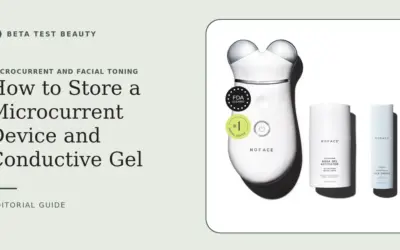
Our guidance separates published product details from general care principles. Product information for the NUFACE Trinity+ Skin Tightening & Face Lift Device identifies a rechargeable device and describes a recommended use schedule, but it does not provide a sphere-cleaning procedure.
We therefore do not present a specific cleaner, disinfectant, or cleaning frequency beyond the practical after-session removal of residue as a universal manufacturer instruction. Confirm exact methods in the device manual, and weigh replacement support and care requirements alongside treatment features when comparing devices.
For buying context, our microcurrent device comparison criteria explains what to check beyond appearance, including protocol and ownership considerations. The right premium device is one whose instructions, routine, and support fit your use, not simply one with more features.
Final Thoughts
The NUFACE Trinity+ Skin Tightening & Face Lift Device is the only product in this comparison, so it is the listed overall option rather than a winner tested against alternatives. Its published details note three frequencies, a rechargeable design, and an included wireless USB-C charging cable.
There is no distinct value pick or specialized-use pick among the listed products. The device may suit shoppers who want those stated features and accept a recurring treatment schedule; skip it if you need documented cleaning instructions that are not available to you.
Before buying, confirm sphere-care guidance, warranty coverage, compatible gel, and support access with the manufacturer. Our microcurrent and facial toning category offers context for comparing devices, while careful after-session cleaning remains part of ownership.
FAQs
How often should I clean microcurrent metal spheres?
Wipe away gel and visible residue after each session using the method allowed by your device manual. This keeps residue from sitting on treatment surfaces between uses.
Can I use rubbing alcohol on microcurrent spheres?
Only if the manufacturer explicitly permits it for your device. Alcohol may affect some finishes or materials, so do not treat it as a universal cleaning choice.
Can I rinse microcurrent spheres under a faucet?
Do not rinse the device unless its instructions explicitly allow that method. Water can enter seams, controls, or charging areas even when the treatment spheres are metal.
What cloth should I use to clean the spheres?
Use a soft, lint-free cloth if the manufacturer recommends or permits one. Avoid abrasive pads, paper with a rough surface, and tools that could scratch or loosen components.
How do I remove dried conductive gel?
Follow the manual’s approved method and avoid scraping or soaking the device. If residue will not lift safely, contact manufacturer support instead of escalating to a stronger cleaner.
Can I use disinfectant wipes on microcurrent spheres?
Do not assume disinfectant wipes are compatible. Their ingredients and moisture level vary, so use them only when approved for your specific device and attachment.
Should the device be wet or dry before storage?
Store it fully dry and follow the manufacturer’s storage directions. Keep it away from moisture and avoid placing it where the treatment surfaces can collect dust or be scratched.
What should I do if a sphere looks damaged?
Stop using the device and contact the manufacturer for guidance. Do not polish, pry at, or attempt to replace a treatment sphere unless official service instructions allow it.
Where can I find broader microcurrent device care advice?
Start with the manual for your exact model, then review our microcurrent cleaning and storage guide for general ownership considerations. Manufacturer instructions take priority whenever recommendations differ.
Evidence and safety references
These references support the general technology and safety context. Product specifications can change; confirm the current manual and regulatory status before use.
- FDA 510(k) summary: microcurrent facial device
- Randomized trial: home-use multi-energy device for facial rejuvenation
- Systematic review: evidence for home-based dermatology devices
Safety note: Beauty devices are not a substitute for diagnosis or treatment. Follow the device instructions and consult a qualified clinician if you have a skin condition, take photosensitizing medication, are pregnant, or are unsure whether a device is appropriate.