
At-home IPL devices may use internal cooling, so some operating noise can be part of normal use. A new, louder, irregular, or persistent sound deserves attention, especially if airflow seems restricted or the device behaves differently.
This guide focuses on practical checks, not a diagnosis: the published information for Braun IPL, Silk·Expert Pro 5 does not specify fan volume or a noise threshold. For broader buying context, see our at-home IPL and laser hair removal category.

Pros
- Automatic skin tone adaptation
- Two sensitive modes for comfort
- Precision head for small areas
- Eye-safe without goggles
- Suitable for men and women
Cons
- Results vary by hair and skin type
- Requires weekly sessions for months
- May not work on very coarse hair
Specifications
| Product Dimensions | 10.87 x 3.84 x 7.65 inches; 1.89 pounds |
|---|---|
| Item model number | YT-OPUF-M3TN-TR |
| Date First Available | October 3, 2019 |
| Manufacturer | Procter & Gamble |
| ASIN | B07WYY6KKC |
| Best Sellers Rank | #11,088 in Beauty & Personal Care (See Top 100 in Beauty & Personal Care) #4 in Light Hair Removal Devices |
| Customer Reviews | 4.2 4.2 out of 5 stars (7,254) |
Verify the current product variation before purchase; specifications may change.
Detailed Review
What stands out in the currently available product data:
- Skin tone sensor automatically adjusts flash intensity for safety and comfort
- Two sensitive modes reduce light output for use on delicate areas
- Includes standard and precision heads for full-body and spot treatment
- Up to 95% hair reduction in one month with consistent use
- Eye-safe design requires no protective glasses
- Suitable for both women and men on legs, arms, underarms, bikini, face, and more
Start with the change you noticed. A steady airflow sound during a flash sequence differs from grinding, rattling, clicking, squealing, or a sound that continues after the device stops operating.
Do not assume that a device is safe or defective from sound alone. Compare its behavior with the user manual, stop using it if warning signs appear, and contact the manufacturer when the cause remains unclear.
1. Identify when the sound happens
Notice whether noise begins at startup, during treatment, between flashes, or after you release the controls. Record whether it is steady, intermittent, or newly different from earlier sessions.
That timing gives customer support useful context without requiring you to open the housing. Avoid repeating sessions solely to reproduce a concerning noise, particularly if the device also becomes unusually hot or stops responding.
2. Check vents and surrounding clearance
With the device switched off and unplugged, inspect visible air openings for dust, fabric, or other blockage. Keep vents clear during use, and do not place the handset on bedding or cover it while operating.
Use only cleaning steps allowed by the manual. Do not insert tools, liquids, or compressed air into openings unless Braun expressly instructs you to do so; internal parts and filters may not be user-serviceable.
3. Inspect the treatment window and attachments
Look for visible residue, cracks, looseness, or damage around the treatment window and fitted head. A poorly seated or damaged attachment can change how the device operates, but do not force parts into place.
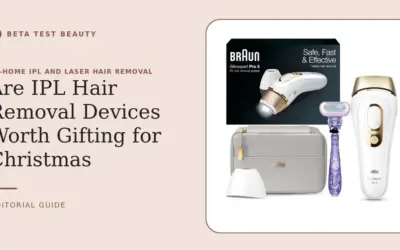
Clean the treatment window only as directed by the manufacturer, after the device is off and cool. Braun IPL, Silk·Expert Pro 5 is supplied with two heads, but the published product details do not describe their assembly or maintenance procedure.
4. Consider heat, pauses, and session conditions
Cooling systems may sound different as operating conditions change, but the available product information does not confirm a specific fan design or normal sound profile for this model. Do not treat a louder fan as proof that cooling is functioning correctly.
Follow the manual’s session limits and rest instructions rather than extending use to test the noise. Stop if the unit gives an error, emits an unusual smell, feels abnormally hot, or shows visible damage.
5. Check power and cable condition
Inspect the power cord, plug, and connection for visible wear or looseness, without bending or pulling them to provoke a sound. Use the power setup specified in the manual and avoid damaged outlets or makeshift adapters.
If noise coincides with flickering, intermittent power, a hot plug, or a burning odor, switch off and unplug the unit if safe. Do not continue treatment while investigating an electrical concern.
6. Use warranty support instead of opening the housing
Do not dismantle the handset or attempt a fan repair. Internal access may create electrical or burn risks and could affect warranty coverage; check the warranty terms and contact Braun support for model-specific advice.
Share the model name, purchase details, when the sound occurs, and any error indicators. A short recording may help support staff assess the report, but follow their instructions and do not operate a device they have advised you to stop using.
Quick match: what the sound may call for
Steady airflow without other changes: check the manual and keep vents unobstructed. New rattling, grinding, or squealing: stop use and ask manufacturer support rather than guessing at an internal fault.
Noise alongside overheating, odor, damage, error messages, or power problems: switch off, unplug if safe, and do not resume until support advises you. Sound by itself cannot establish whether the device is functioning correctly.
Why you should trust this guide
We separate listed product facts from general troubleshooting guidance. The provided Braun listing identifies Silk·Expert Pro 5 and two heads, but supplies no fan specification, decibel measurement, diagnostic procedure, or warranty duration.
We therefore do not label any particular sound normal, claim a repair will work, or suggest that noise predicts IPL performance. For cleaning and storage basics, consult our IPL device cleaning and storage guide, then defer to the manual for your exact model.
Final thoughts
Among the listed options, Braun IPL, Silk·Expert Pro 5 is the only product to assess, so a comparative best-value pick is not possible. Its listing identifies two treatment heads, but does not provide evidence about fan noise, sound level, or a noise-related feature advantage.
It may suit shoppers considering an at-home IPL device who value the supplied two-head configuration, provided the model fits their needs and its instructions. Skip or pause use if your unit develops a new mechanical sound, damage, unusual heat, odor, or power issue.
Before buying, confirm current warranty terms, replacement or service options, treatment compatibility, and the full use instructions. Our IPL buying criteria guide can help frame those checks; no product feature should substitute for safe, model-specific directions.
FAQs
Is fan noise normal in an IPL device?
Some devices may produce operating noise, but the supplied Braun information does not document a normal sound level or confirm its fan design. Check the manual for your exact model and contact support if sound changes or concerns you.
Why is my IPL device suddenly louder?
Possible areas to check include blocked vents, visible damage, attachment fit, and power connections. These checks cannot diagnose an internal fault; stop use if noise comes with heat, odor, errors, or abnormal operation.
Should I stop using an IPL device that rattles?
Yes, pause use and inspect only visible, user-serviceable areas while the device is off and unplugged. Do not open the housing; ask the manufacturer whether the unit needs service.
Can blocked vents make an IPL device louder?
A blocked opening can interfere with airflow in devices that use ventilation, but available details do not establish the cause of noise in this model. Keep visible vents clear and follow the manual’s cleaning directions.
Can I clean an IPL device fan myself?
Do not access or clean internal components unless the manufacturer explicitly gives that procedure. Clean external surfaces and the treatment window only as the manual permits.
What should I tell Braun support about fan noise?
Give the model name, purchase information, when the noise occurs, and any related error or heat symptoms. Ask whether use should stop and which service options apply under current warranty terms.
Does fan noise mean my IPL device is unsafe?
Noise alone cannot establish safety or failure. Stop using the device when noise is accompanied by damage, unusual heat, odor, electrical symptoms, or manufacturer warnings, then seek qualified guidance.
How can I reduce unnecessary IPL device noise?
Keep the device on a stable, clear surface, avoid covering ventilation openings, and maintain it only as directed. Do not modify the housing or use unapproved cleaning methods to silence it.
Evidence and safety references
These references support the general technology and safety context. Product specifications can change; confirm the current manual and regulatory status before use.
- American Academy of Dermatology: unwanted hair removal and laser safety
- Systematic review: long-term hair reduction with lasers and IPL
- Systematic review: paradoxical hair growth after laser or IPL
- FDA 510(k) summary: home-use IPL hair-removal device
Safety note: Beauty devices are not a substitute for diagnosis or treatment. Follow the device instructions and consult a qualified clinician if you have a skin condition, take photosensitizing medication, are pregnant, or are unsure whether a device is appropriate.